PluginHub - Plugin Management Tool for Mac and Windows
PluginHub for Windows is here. One license covers Mac and Windows.

Every Audio Plugin.
One Dashboard.

See what’s out of date in seconds, with live checks across 300+ vendors. Install updates, manage your plugin library, store license keys.See what’s out of date in seconds. Install updates, manage your library, store license keys. Keep your rig clean. Mac and Windows.

Buy Once ($39.99)Yours forever. No subscription. Try Free (Three Scans)
✓ Free scans, no credit card required · ▶︎ Watch the full demo
How PluginHub works

Four jobs. One app.

326Vendors checked live
4,041Plugins checked live
12,000+Plugins recognized
1License for Mac + Windows

Direct integrations with 30 developers, including

See every vendor →

01 · Scan

Your whole rig, at a glance.

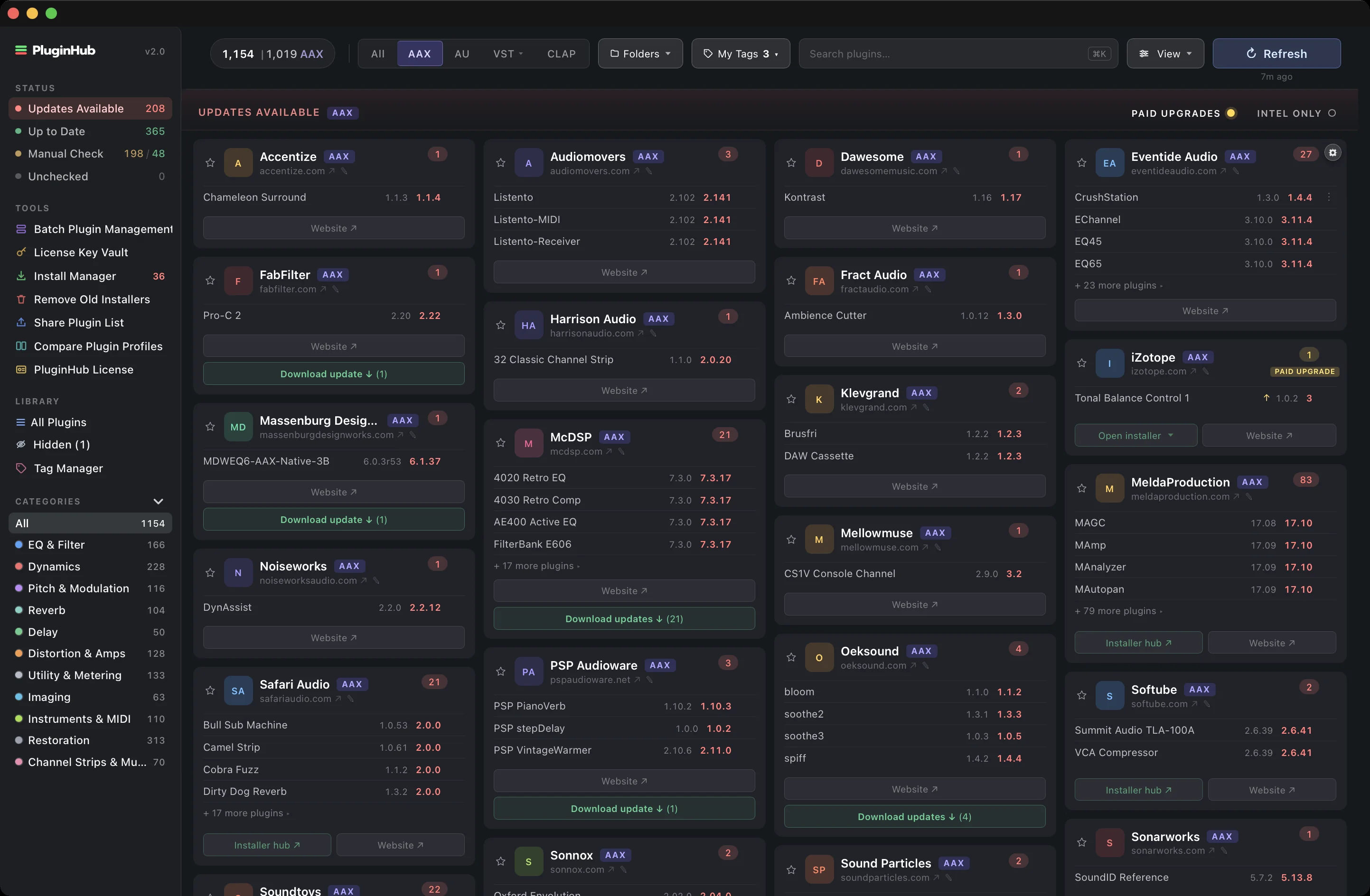
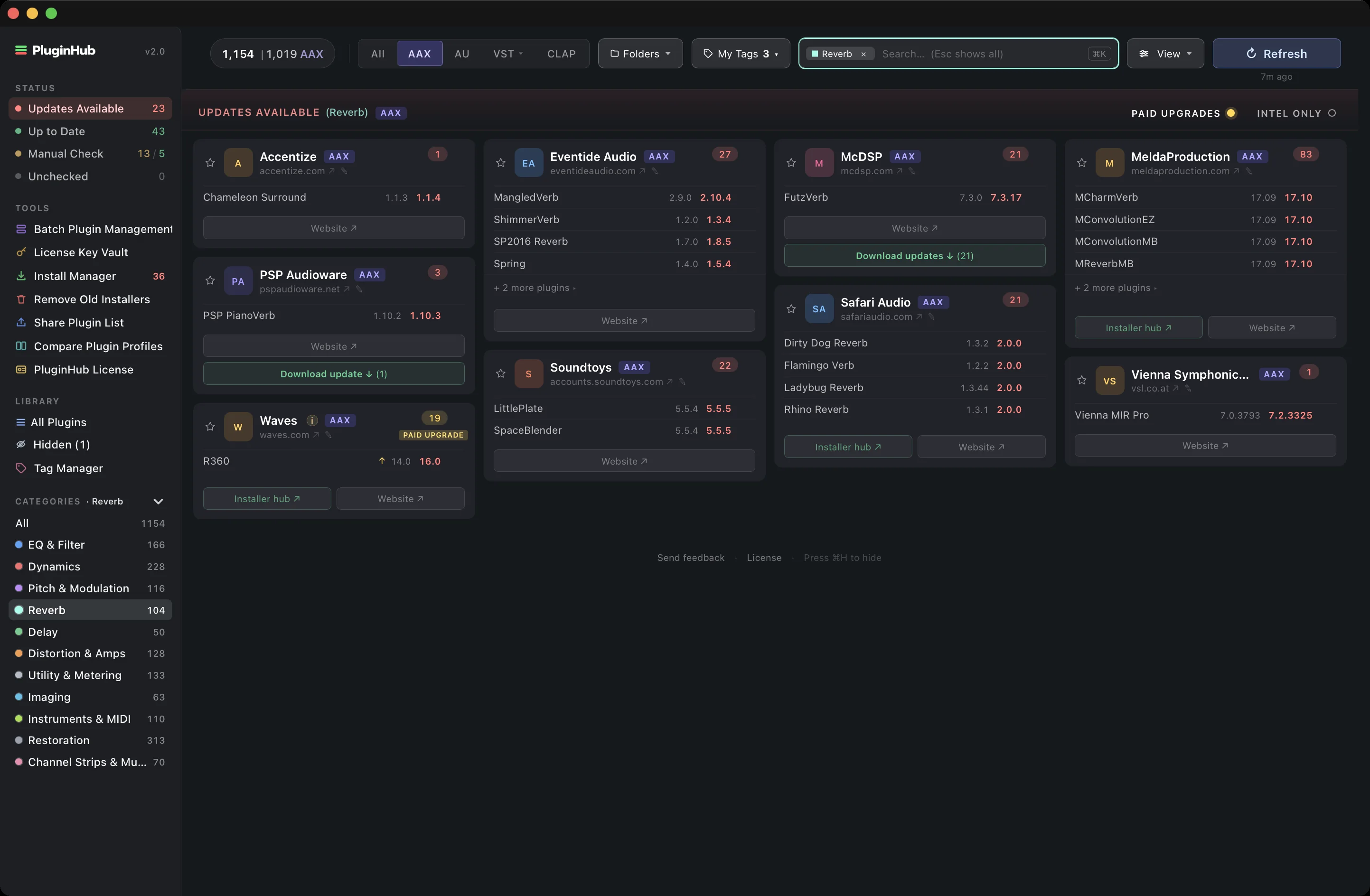
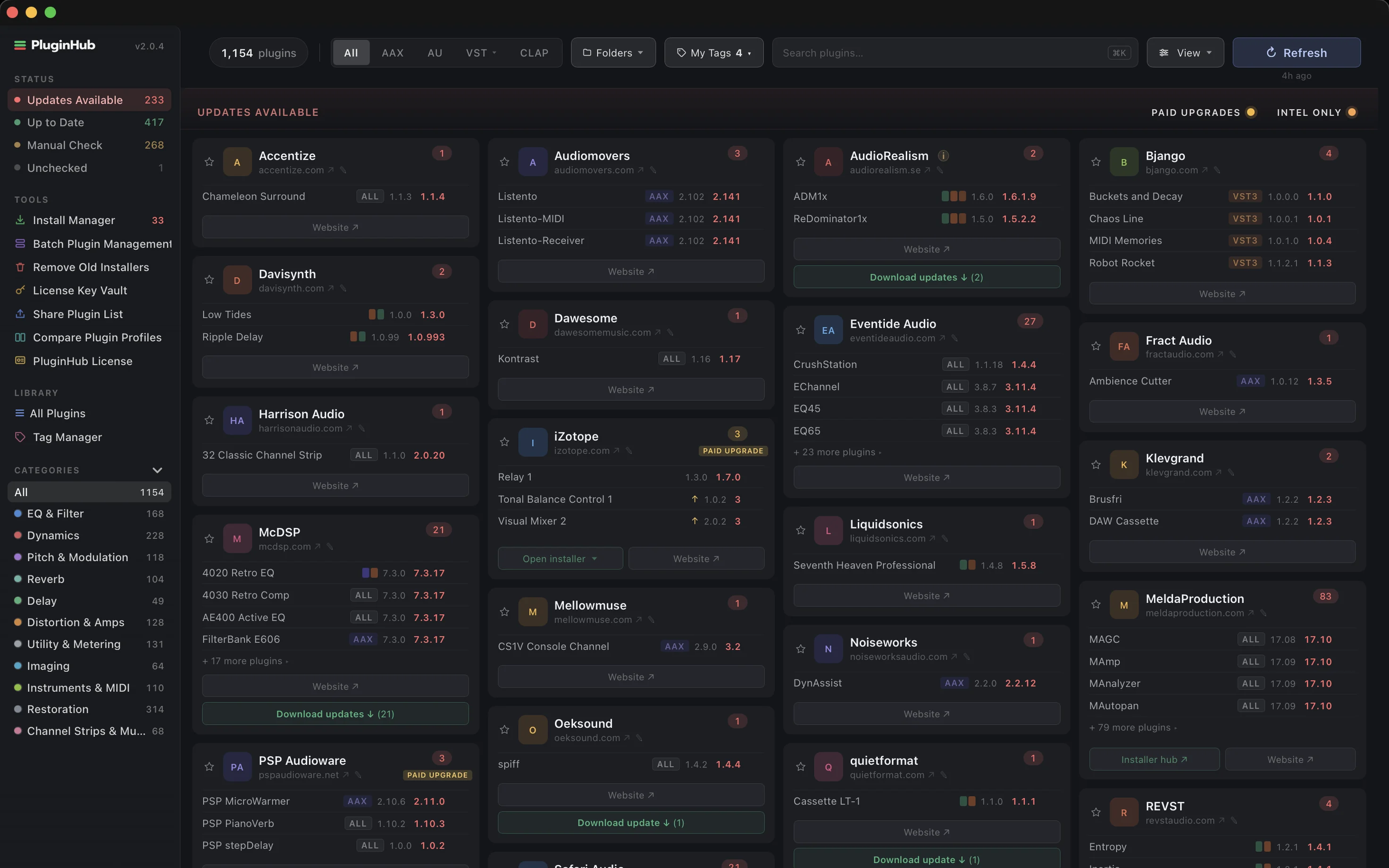
One scan finds every plugin on your Mac or PC and checks for updates across 326 vendors.

The PluginHub dashboard: status counts, tools and categories in the sidebar, and vendor cards with available updates
1

Status at a glance

Updates, up to date, manual check.

2

Every tool, one rail

Install Manager, Vault, Batch, Share.

3

Eleven categories

Click to filter, shift-click to combine.

4

Any format

AAXAUVSTCLAP
5

Paid upgrades flagged

Know before you click update.

6

Download updates

From the vendor's own server.

7

Intel-only filter

Find what stops working without Rosetta.

+

And on Windows

The same dashboard on your PC, one license for both.

02 · Update New in 2.0

Update from inside PluginHub.

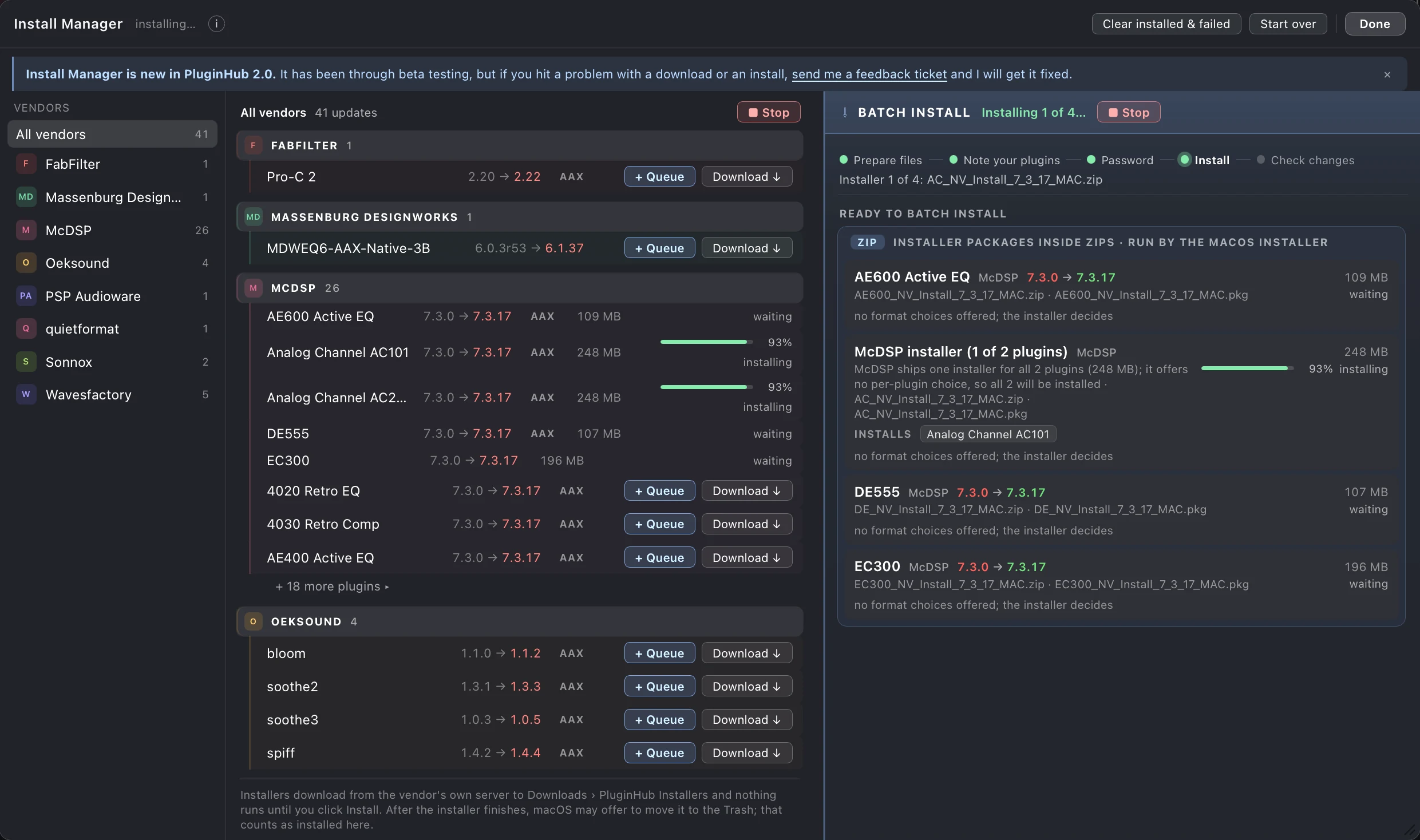
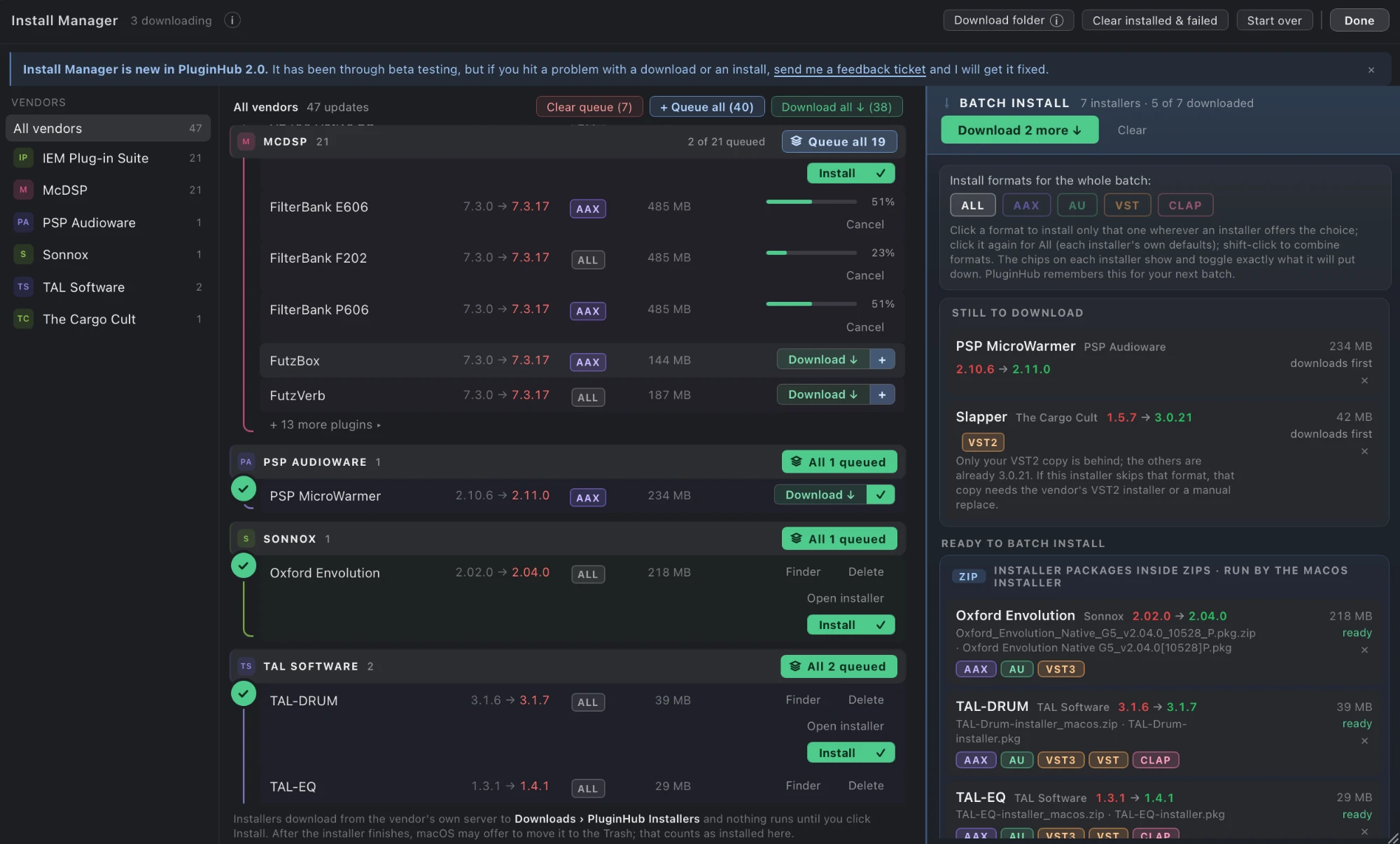
Download an update straight from the vendor’s own server and install it without leaving the app. Install Manager covers nearly 60 vendors and over 700 plugins.

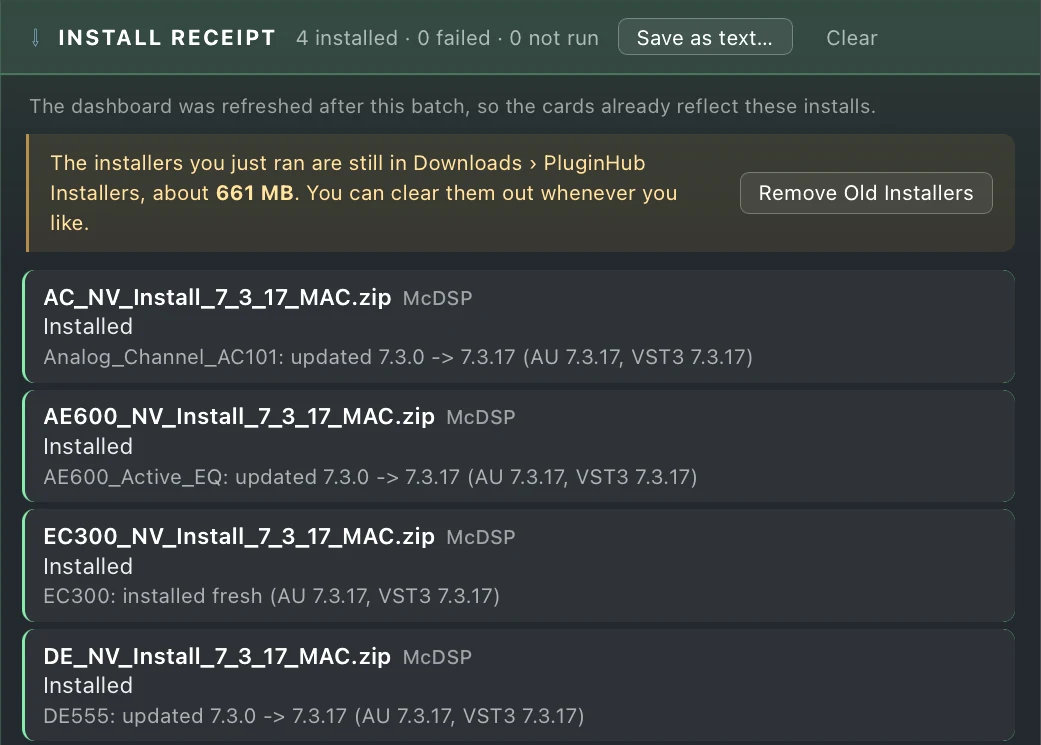
Install Manager, step by step
1 / 4

How it stays safe

Straight from the vendor

Never through our servers.

⌄
PluginHub reads the download page each vendor already publishes, and links to the installer file they host themselves. The file downloads straight from the vendor to your Mac. It never passes through PluginHub’s servers, and PluginHub never sees your vendor account, your licence keys or your payment details.

Only published installers

Otherwise, a Website button.

⌄
A vendor appears only when they publish their installers openly. Many put downloads behind an account login, ship everything through their own installer app, or publish a demo build only. In those cases PluginHub sends you to their site instead, which is why you will still see Website buttons on plenty of cards. We only ever link a file a vendor has actually published.

Nothing runs on its own

You choose when to install.

⌄
Downloads land in Downloads › PluginHub Installers and sit there until you choose to install. A batch asks for your administrator password once, runs the vendors’ own installers, and writes you a receipt of exactly what changed.

What the pros say

Fantastic tool. This is a service to the engineer of the best intention and heart.
Juan García-Herreros
Juan García-Herreros · The Snow OwlComposer, Producer & BassistF1: The Movie • Dune: Part 2 • Dune: Part One • Call of Duty: Black Ops 7Touring member — Hans Zimmer Live & The World of Hans ZimmerLatin Grammy® Nominated · Voted “Best Bass Player in the World” — Music Radar, Bass Player Magazine & UK Bass Guitar Magazine
Read the full quote
“Fantastic tool. This is a service to the engineer of the best intention and heart. What a time saver. I don’t have to think about checking for updates, I can schedule this once a week now instead of having to search for everything. PluginHub is doing some epic s**t.”
With one click, I can see all my plug-ins in one place, know what needs updating, and spot any paid upgrades.
Ryan D. Young
Ryan D. YoungSupervising Sound Editor & Re-Recording Mixer | Sound for Film & TVKicks • The EstateADR Mixer/Recordist | Warner Bros.The Batman • Gravity • Interstellar • Mad Max: Fury Road
Read the full quote
“PluginHub makes the process of keeping track of what’s installed, what’s up to date, and what needs attention incredibly simple. With one click, I can see all my plug-ins in one place, know what needs updating, and spot any paid upgrades. What used to be a tedious, manual process — where something always seemed to get missed — now takes just minutes. On top of that, it keeps an eye on updates going forward, so I can keep my focus where it belongs — on the work itself.”
There’s nothing better than software that just works, and PluginHub delivers exactly that.
Jamie Siegel
Jamie SiegelProducer/Mixer @JRock StudiosSting, Lauryn Hill, Smashing Pumpkins
Read the full quote
“There’s nothing better than software that just works, and PluginHub delivers exactly that. It saves me from the ultimate studio buzzkill of manually searching for plugin updates and keeps my Pro Tools rig running smoothly. It’s a must-have tool for keeping your system stable and your focus on the session.”
PluginHub is the app you should have known you needed.
Charles de Montebello
Charles de Montebello · CDM Sound Studios, Inc.Founder / Lead Engineer2-time Grammy Award Winner
Read the full quote
“PluginHub is the app you should have known you needed. Now you’ll have your updates for all your plugins as soon as they’re available. One refresh shows you what’s up to date and points you right to the source, which makes downloads easy. Such a great tool!”
PluginHub solves that problem before it ever comes up.
Zach Anderson
Zach AndersonStaff Engineer - Rue Boyer Studios, Head of Partnerships at Mix with the MastersFrank Ocean, Kid Cudi, Travis Scott
Read the full quote
“These kinds of simple organizational apps are exactly what we need more of. Updating plugins is never top of mind for me, and it is the last thing I want to deal with when I am in the room with an artist. PluginHub solves that problem before it ever comes up.”
Keeping track of plugins just went from tedious to trivial.
Matthew Labarge
Matthew Labarge · LarkenlyreComposer, Producer, Mixer
Read the full quote
“Keeping track of plugins just went from tedious to trivial. PluginHub removes so much nuisance we’ve lived with for years — it’s one of those rare apps you didn’t know you wanted, but once you’ve got it can’t imagine going back.”

Swipe for more →

03 · Organize

Your whole collection, under control.

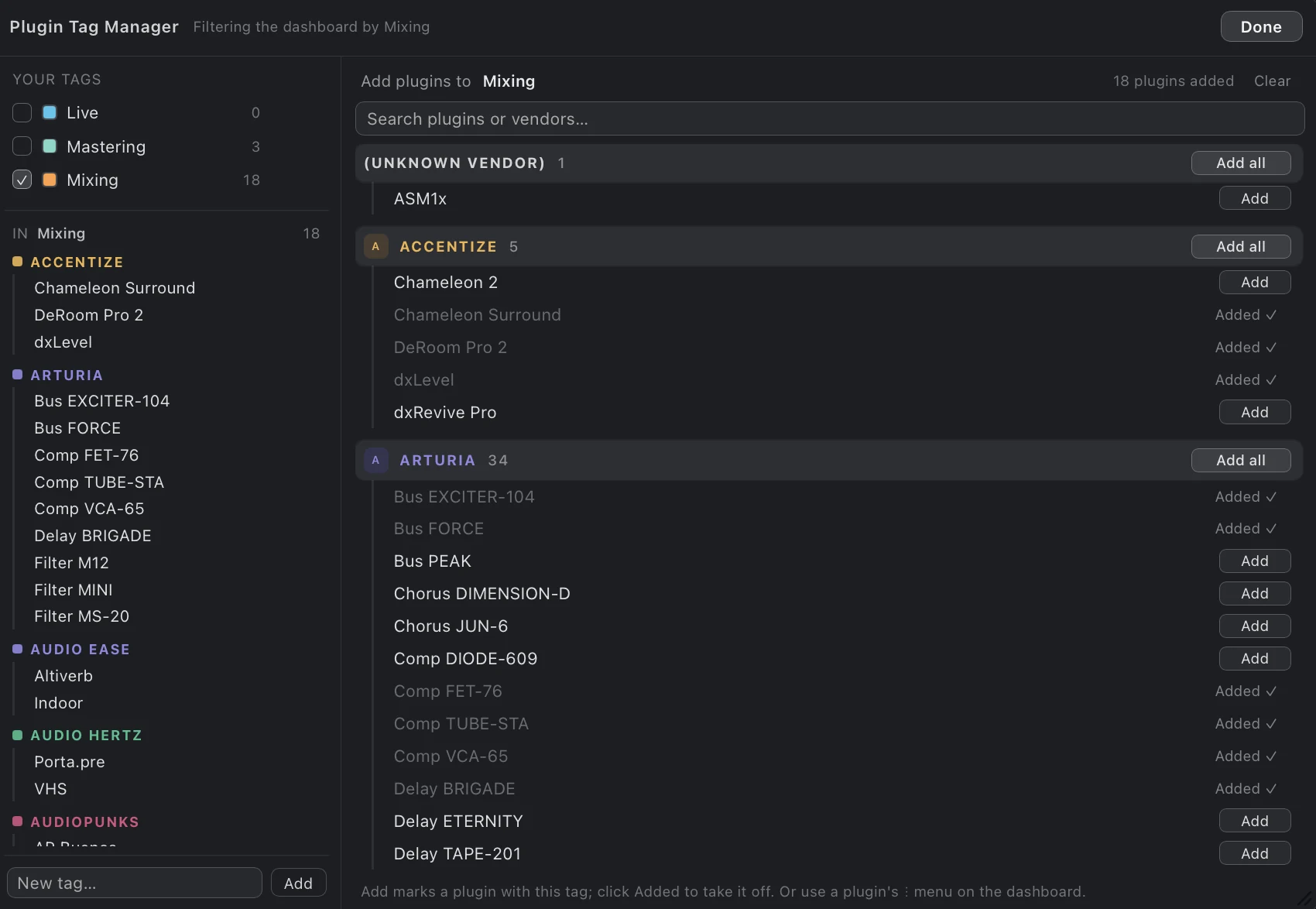
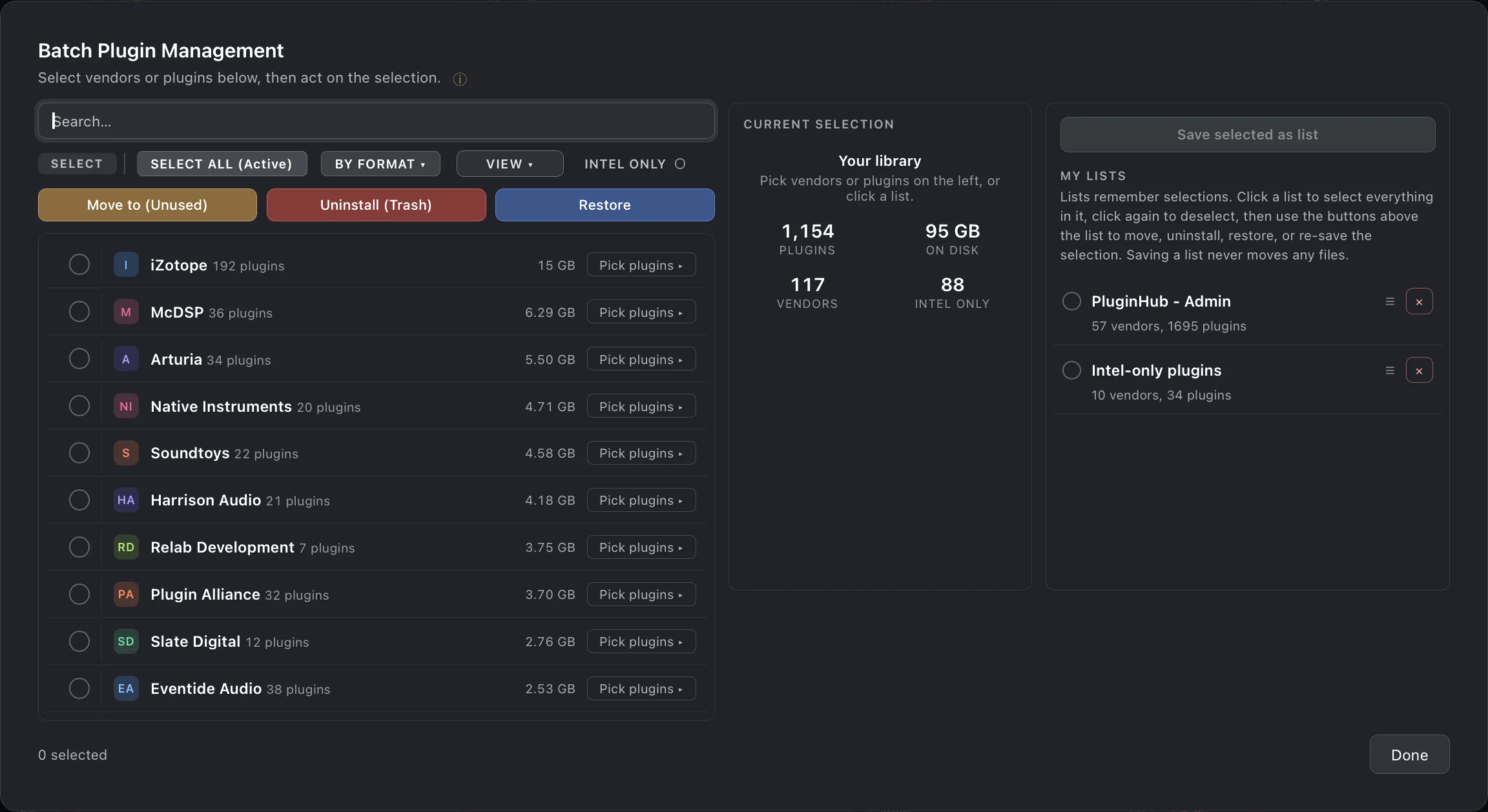
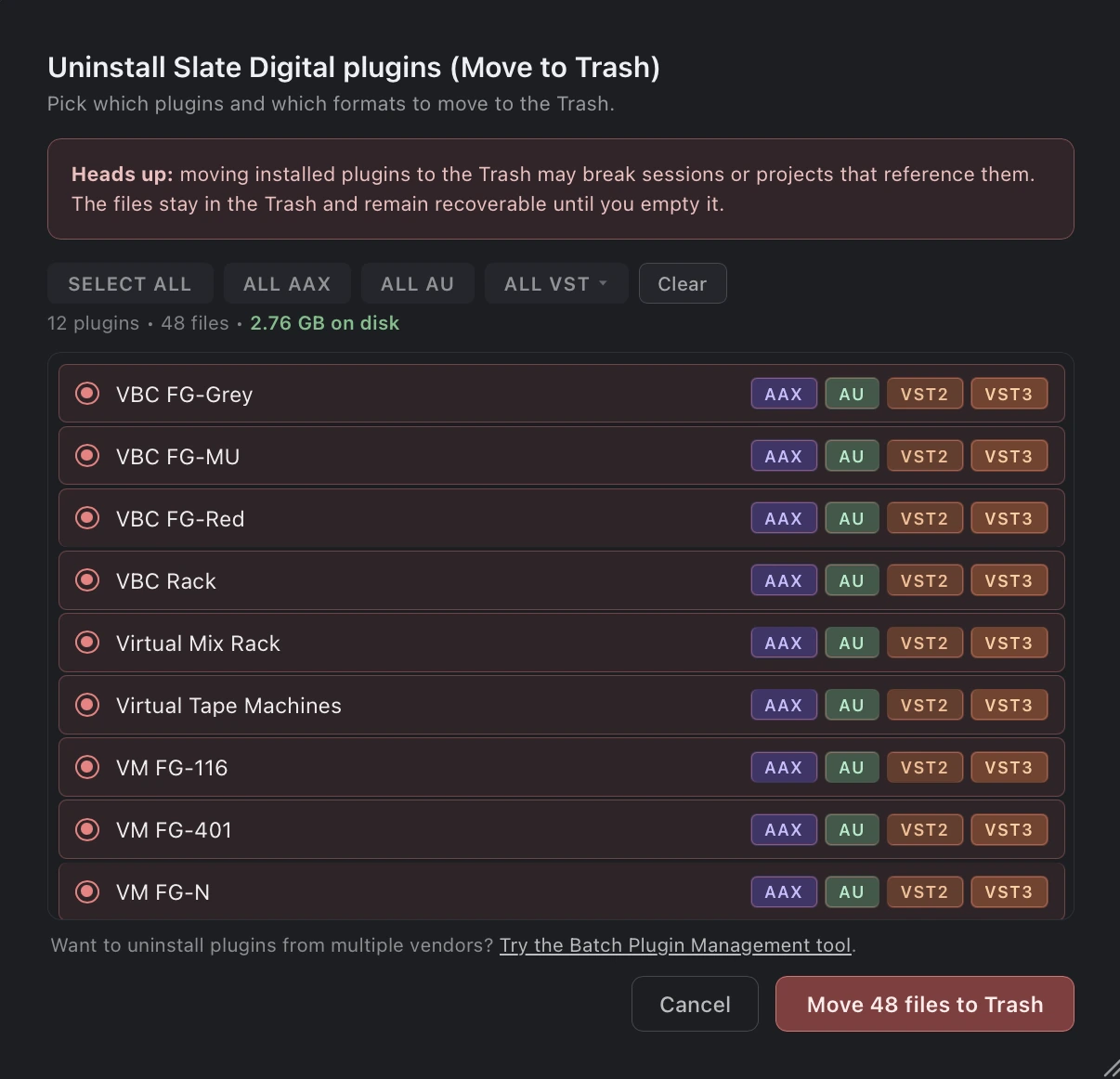
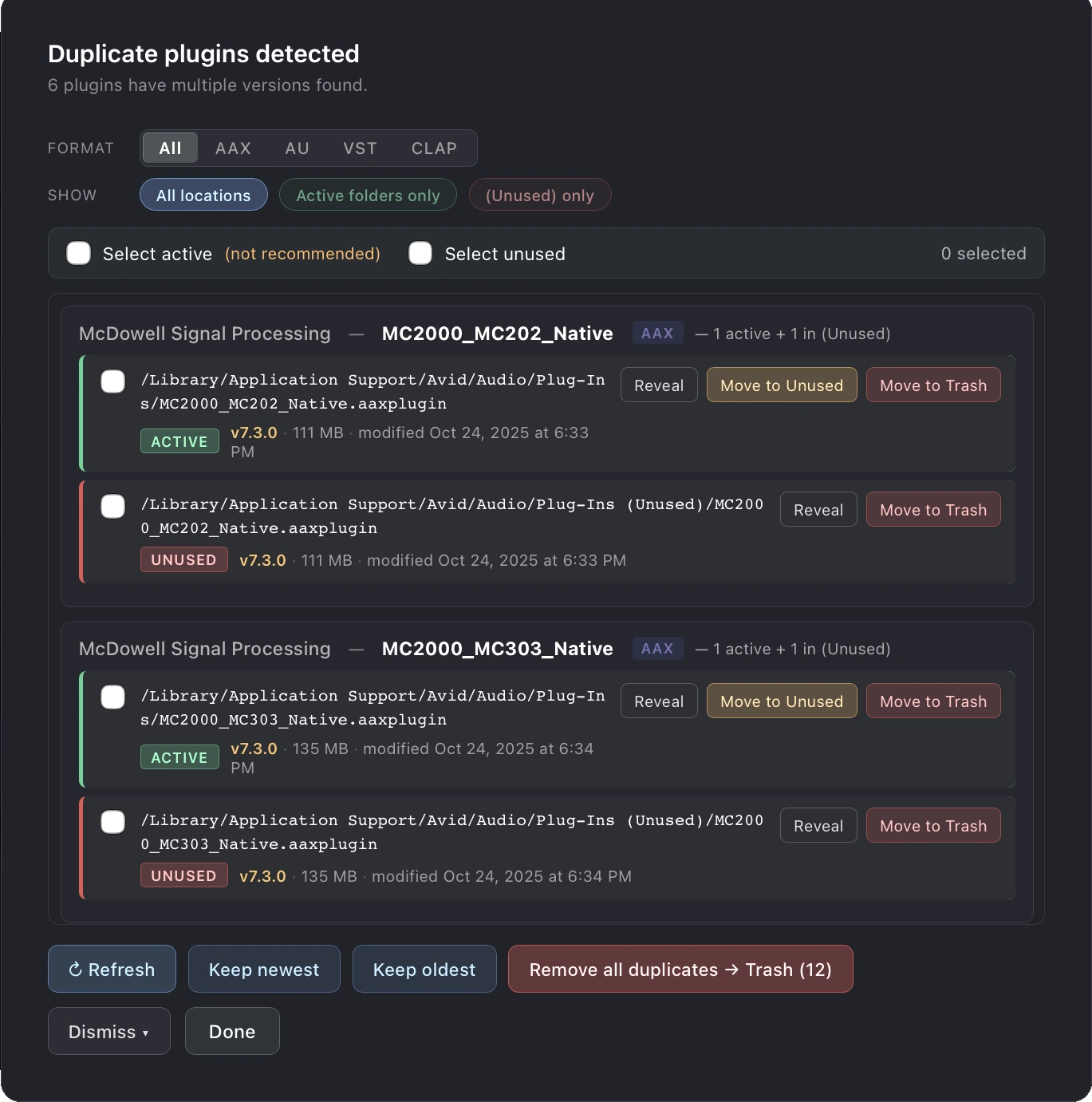
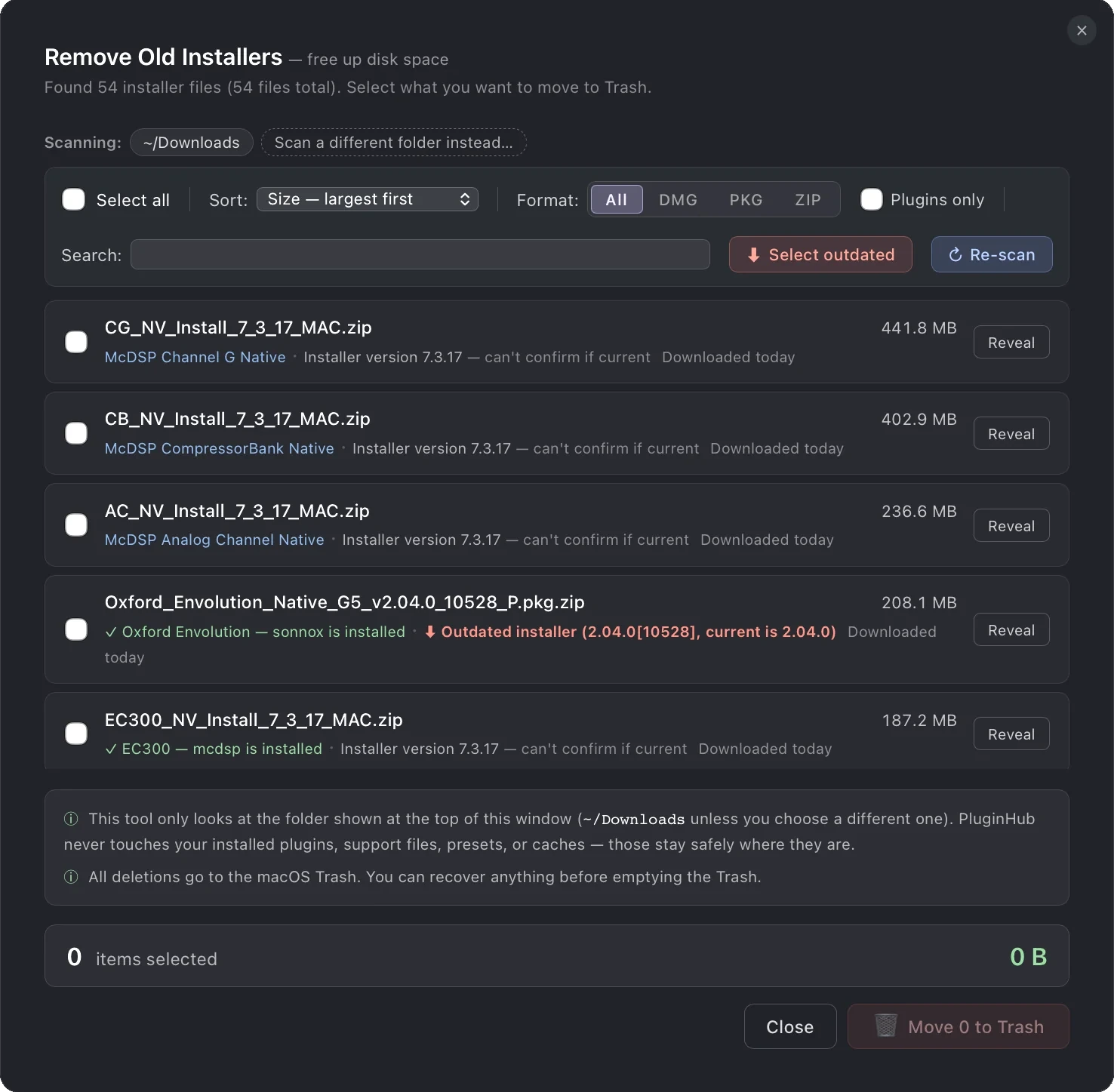
PluginHub organize tools

Click any row to jump.

04 · Protect

Keys safe. Rig documented.

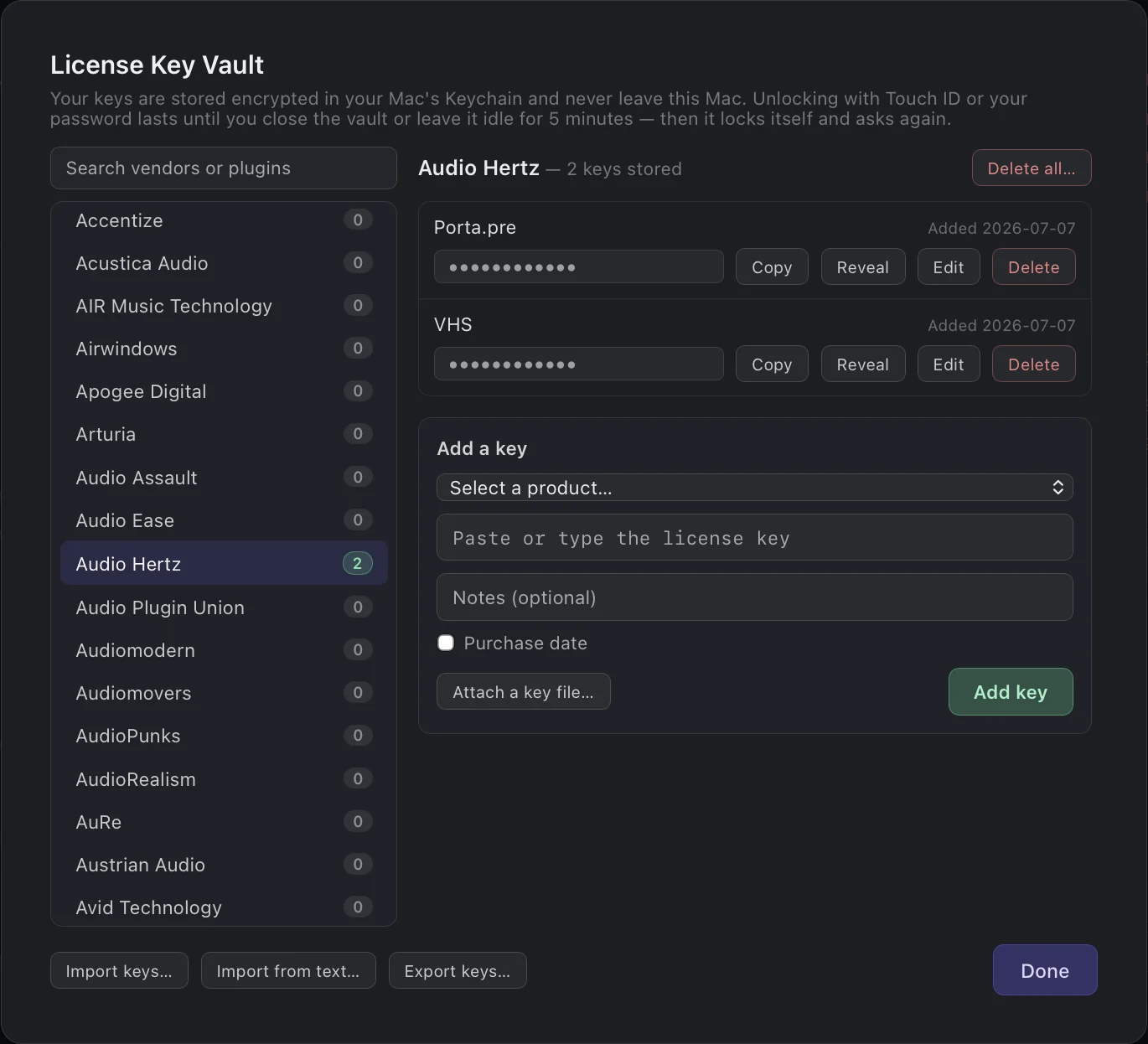
License Key Vault

Every key, one vault.

Third party license keys and key files in one place. Encrypted on your own machine, protected by your computer’s own security, and they never leave it.

License Key Vault

One license. Mac and Windows.

The same key activates your Mac and your PC, using the device count you already own.

Plugin Compatibility

Spot Intel-only plugins before macOS drops Rosetta.

Intel-only plugins flagged

Share, compare, and document your rig.

Export your full inventory, or just what a session used.

Every plugin, every format, every version — on a public link you control. Set a passkey, add an expiry, and download as a PDF, CSV or copy to Google Sheets in one click.

Drop in session files from Pro Tools (.ptx or .pts), Logic (.logicx), or Cubase (.cpr) to get a shareable list of just the plugins that session needed, including Waves by name. Great for mix handoffs and mastering documentation.

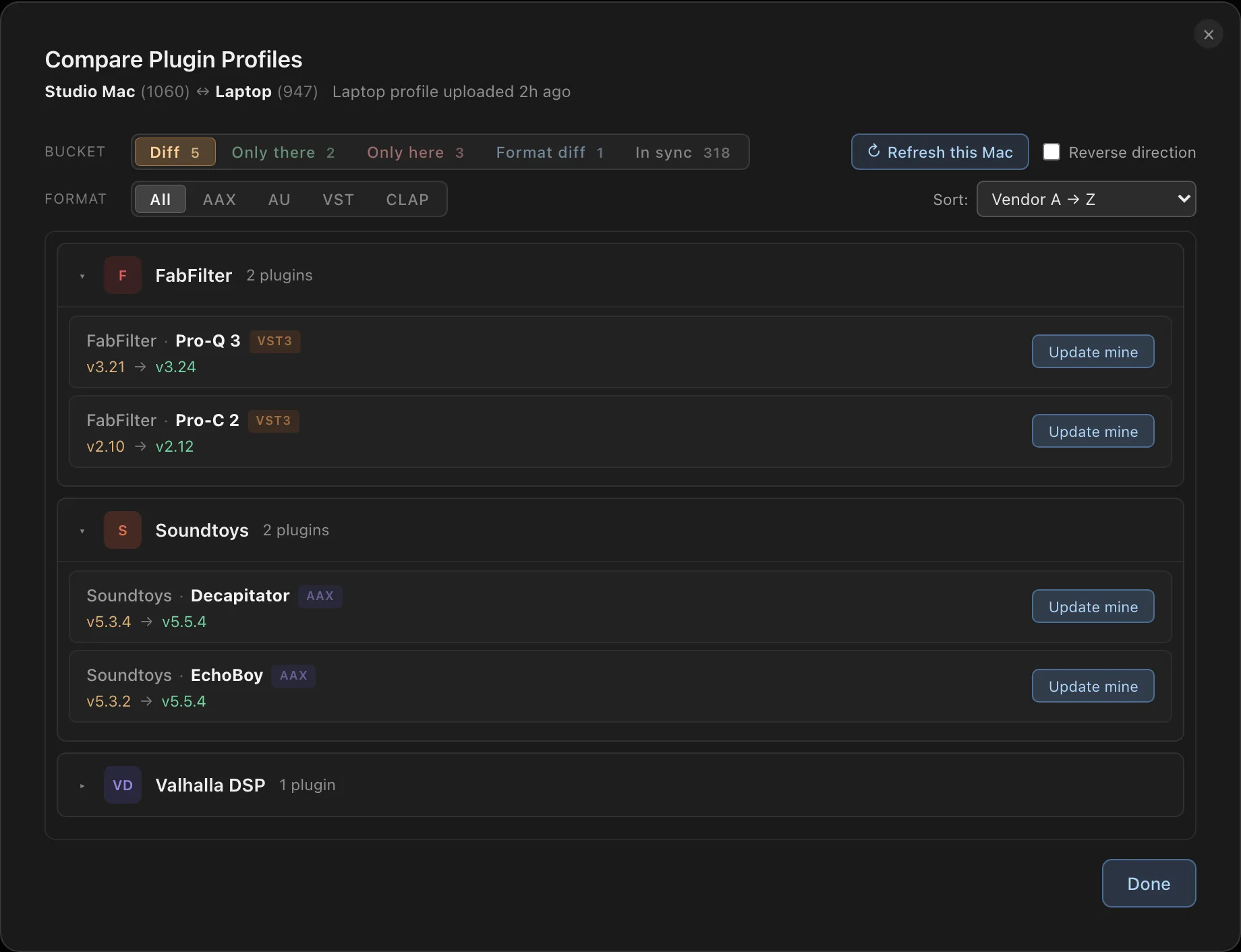
Two Machines. One Comparison.

Select any two profiles on the same license key and instantly see what plugins they share, what's different, and where versions diverge. Useful for multi-machine setups, session prep, and collaborator parity checks.
Compare Plugin Profiles: version differences between two machines

No Subscription

Pay once, use forever.
Personal
$39.99

$19.99 per activation

Your main machine and your laptop.

  • 2 machine activations
  • All core features
  • Free updates
Buy Now
Studio Pro
$129.99

$12.99 per activation

Every machine in the facility.

  • 10 machine activations
  • All core features
  • Free updates
Buy Now

Not ready to buy? Try PluginHub free. Three scans, no credit card required.

Try Free (Three Scans)

Interested in multi-seat licensing for educational or commercial use? Contact us directly at support@pluginhubapp.com.

System Requirements

macOS Available now
  • macOS 12 Monterey or later (tested through macOS 26)
  • Apple Silicon or Intel, one universal installer (M-series and Intel Core i5/i7/i9/Xeon)
  • ~50 MB of available disk space
  • Internet connection required for checking vendor updates
  • Scans AAX, AU, VST3, VST2, and CLAP plugin bundles from their standard macOS install locations
Windows Available now
  • Windows 10 or Windows 11, 64-bit
  • Signed installer, installs for your user account, no admin password needed
  • Internet connection required for checking vendor updates
  • Scans VST3, VST2, AAX, and CLAP plugin files from their standard Windows install locations
  • One license covers both platforms, using the device count you already own